Turn a JPEG Into Monochrome SVG Paths
TraceDXF traces a single compressed JPEG into real monochrome SVG boundary paths entirely in your browser. You select one local image file; nothing is uploaded, no account or payment is needed, and the exported SVG paths contain no embedded image.
Two output modes are already built in. Pixel mode preserves the source canvas dimensions of the image you upload, while physical mode sets an artwork width you choose - 60 mm is only the example width used in the sample fixture below - and scales height proportionally to the traced bounds. Physical mode does not infer DPI or recover unknown physical size, and it is not required for pixel SVG.
Image & outline
10 MiB · 4 million pixels. No automatic resizing.
Choose an image to inspect its outline.
Example result only
Choose your own image or load the example, then trace it to create a current result. This example does not set your output size.
How to compare threshold and edge detail
Threshold decides which pixels become foreground paths. A low threshold drops thin gray features; a high threshold improves survival but also changes wider binary regions, so there is no universal optimum. The figures below come from one self-made engineering fixture: a 192x128 px clean PNG reencoded as JPEG in Chromium at quality 0.92 and 0.08, with a known thin-gray line measured across 70 pixels. These values describe only this 192x128 sample, not arbitrary input.
Threshold 64 excludes the fine gray line even in the clean source (0/70), which shows threshold-induced loss is separate from JPEG compression loss. For the same source, fewer nodes alone is not higher quality - fewer nodes can also mean erased detail. Tracing does not restore discarded JPEG detail or smooth artifacts automatically.
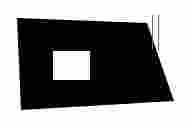
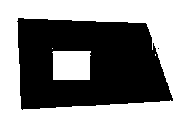
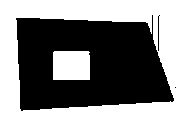
The example image is a binary mask render of this engineering fixture, not a screenshot of native software and not an overlaid vector comparison.
| Source | Threshold | Path nodes | Thin-feature pixels kept (of 70) |
|---|---|---|---|
| Clean PNG | 64 | - | 0 |
| Clean PNG | 128 | 102 | 70 |
| JPEG quality 0.92 | 128 | 102 | 70 |
| JPEG quality 0.08 | 64 | 128 | 1 |
| JPEG quality 0.08 | 128 | 110 | 63 |
| JPEG quality 0.08 | 192 | 124 | 69 |

Pixel vs physical SVG output
Pixel exports keep the canvas of the source image you select, with margins preserved. Physical exports set an artwork width you choose - in this fixture, 60 mm - and derive height proportionally from the traced bounds. If you do not know the true physical size of the original, pixel mode is the honest choice; physical mode cannot recover dimensions the JPEG never stored.
For the Q0.08 JPEG at threshold 128, the pixel SVG keeps the sample source canvas, while the 60 mm SVG scales the same traced geometry. Both formats are re-parsed before download, so what you save is the verified path subset, not the raw raster.
Product limits and scope of the example
TraceDXF traces single-file monochrome boundary contours from PNG, JPG, or JPEG. It does not handle multicolor or color photos, centerline strokes, live text, or arbitrary editor features, and it does not check self-intersection. A strict SVG-to-DXF step accepts supported geometry in a colored SVG but discards color information; color and editable text are preserved in the SVG master rather than the exported DXF.
The threshold and node numbers above are measurements from one fixture, not a guaranteed result for your photo. They exist to make the compression/threshold tradeoff visible and reproducible.
Download the sample fixture and files
The Q0.08 JPEG download below contains all three threshold SVG variants (64, 128, 192) plus source images, binary masks, DXF exports, the measurement results JSON, and a README.

Routing your file
For multicolor or color sources, the monochrome tracer is the wrong tool. Work through color preparation first.
| Your source | Recommended next step |
|---|---|
| Single-color JPG/JPEG line art | Use the workbench above, then pick pixel or mm SVG |
| Multicolor image or color photo | Start with color-image preparation before tracing |
| Live text or editable curves in SVG | Prepare in a vector editor, then re-export geometry-only |
| Known-size vector needing DXF | Verify against the DXF checker |
Next steps in a vector editor
TraceDXF produces clean geometry contours. If you need to edit nodes, recover editable text, or confirm export units, do that in a vector editor and keep the master file. Node tools adjust individual anchors; text tools produce live type that is a different representation from path geometry. When you export, most DXF formats do not support every feature, so outline a copy for the target and preserve the editable master separately.