PNG to DXF, with transparent backgrounds and holes.
Turn high-contrast monochrome PNG artwork into DXF outlines at a size you choose. Transparent areas stay background; review small holes and separate parts before download.
Image & outline
10 MiB · 4 million pixels. No automatic resizing.
Transparent PNG? Check faint edges, small holes and separate parts after tracing.
See the transparent PNG and actual DXFChoose an image to inspect its outline.
Example result only
Recorded outline · 100 × 70 mm
- Outer contours
- 2
- Holes
- 2
Choose your own image or load the example, then trace it to create a current result. This example does not set your output size.
A transparent PNG with a hole, an island and a small opening
Transparent margins and the faint side fringe stay outside the shape. The large opening, small hole and island remain in the DXF.
- Chosen size
- 100 × 70 mm
- Closed contours
- 4
- Holes
- 2
Conversion settings and verification
This self-made 120 × 90 pixel example has transparent margins and a semi-transparent side fringe. At threshold 128, the fringe stays background. The 100 × 70 mm result contains four closed contours: two outer contours and two holes, including a 3 × 3 mm opening. Download the exact input and DXF to inspect them.

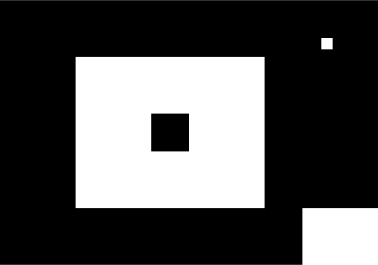
Generated through the same RGBA threshold, tracing and export functions; SVG and DXF were reparsed against the model. This example has no recorded LightBurn import. Pixel edges are straight segments, not restored curves.
How transparency becomes a cutting outline
Fully transparent pixels are always background. Partly transparent pixels are composited over white, then compared with the threshold. DXF contains geometry, so opacity and color are not carried into the file. For black pixels at threshold 128, alpha 96 becomes background and alpha 255 becomes foreground. Inspect the binary preview if an edge changes.
Set the artwork size, not the image margins
Enter the width or height of the traced artwork in mm or inches. The bounds exclude transparent margins, and the default proportion lock preserves its shape. PNG pixel count or DPI does not establish a real-world size. This example uses 100 mm width; its outline height is 70 mm.
From transparent PNG to a checked DXF
Choose and trace the PNG
Use one high-contrast monochrome image. Inspect the binary and outline previews, especially faint edges and small holes. Color photos and centerline engraving are outside this tool’s scope.
Choose dimensions and retain detail
Set a positive width or height. Start with speck removal and node reduction off; small separate parts can be lost when you change processing parameters. Changes invalidate the previous download.
Download and measure in the target software
The current DXF must reparse before download. Then check dimensions, the notch direction, holes and islands in your target software. Closed contours do not establish toolpaths or machine safety; self-intersection is not checked.
Questions & answers
Does DXF keep PNG transparency?
No. Transparency determines the traced foreground; the DXF stores closed outlines only. Fully transparent pixels stay background even with inversion. Partial alpha is evaluated after white compositing.
Why did a small hole or a separate island disappear?
Check the binary preview first. A threshold can close a faint gap before tracing; speck removal can discard small foreground parts. Turn speck removal and node reduction off, retrace, and compare the original, binary and outline views. No option restores missing source detail.
Does 100 pixels mean 100 mm?
No. You choose the output size. The scale uses the traced bounds, excluding transparent margins. Inches are converted with 1 inch = 25.4 mm; the DXF declares millimeters. Measure the imported result before using it.
Has this transparent example been tested in LightBurn?
Its generated SVG and DXF have passed model reparse checks; no native import is recorded for this example. The linked guide covers a different self-made 100 × 70 mm calibration fixture in LightBurn 2.1.04 Core only.